How to Edit Audio Online
Read this first if you want the basics: trim, remove silence, normalize volume, convert formats, and understand what to do before exporting.
Read the online audio editing guide
FreeAudioTrim Guide Hub
Direct answer: start with the beginner editing guide if you are new, choose a workflow below if you already know the task, then open the matching FreeAudioTrim tool when you are ready to edit. Most supported tools process files locally in your browser, so you can work without installing software or uploading private recordings.
If your goal is transcript text, subtitles, or captions, go straight to Audio & Video Transcription, then use the transcription and subtitle guides below for cleanup, review, and export decisions.
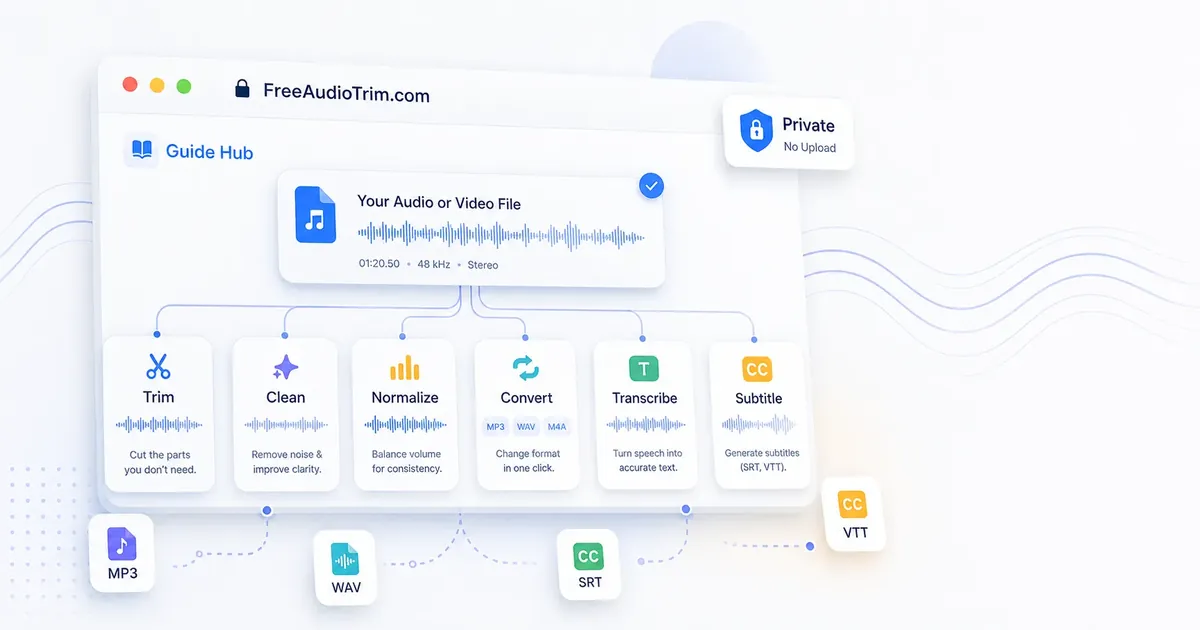
Use this hub as a chooser, not a reading list. Pick the guide that matches the file in front of you: a voice note that needs cleanup, a video that needs subtitles, a quiet podcast clip, a format problem, or an MP3 you want to turn into a ringtone.
Read this first if you want the basics: trim, remove silence, normalize volume, convert formats, and understand what to do before exporting.
Read the online audio editing guideUse this when you want a step-by-step order for editing: clean the file, fix timing, balance loudness, choose a format, then export.
Open the complete audio editing workflowEach route below points to the guide first and the tool second, so you can understand the tradeoffs before changing the file.
Cut mistakes and long pauses first, preview the pacing, then normalize volume so speech lands at a more consistent level.
Read the silence-removal cleanup planIf the voice is thin, noisy, or uneven, improve the recording first so transcript review and subtitle cleanup take less work.
Open AI Voice StudioStart with a transcript, check names and timing, then export SRT or VTT depending on where the captions will be used.
Build the subtitle workflowWAV can be useful for editing, but it will not restore detail that MP3 compression already removed. Convert for compatibility, not magic.
Choose MP3 or WAViPhone ringtones need the right length and format. Pick a clean section, avoid harsh cuts, and convert the finished clip.
Make a ringtoneWhy this matters in real production: audio work often moves through several small decisions: which clip to keep, which gaps to remove, whether loudness needs help, and what format the next app accepts. Choosing the right tool at the start keeps those decisions cleaner.
Privacy note: supported FreeAudioTrim tools process files locally in your browser, which helps with private recordings, client footage, interviews, lectures, and draft podcast audio.
Practical tip: choose the guide by the next thing you need to deliver, not by the file extension alone. A WAV can still need trimming, a video can need subtitles, and a merged file may still need one final loudness check.
Limitations to know: browser tools are enough for many quick edits, but pro software is better for multitrack sessions, detailed noise repair, mastering, automation, or complex music production.
Recommended workflow: keep the original, make the smallest useful edit, preview, export once for the destination, then open a full editor only when the project needs deeper production control.
These guides are written for practical browser-based work: voice notes, podcasts, class recordings, interviews, social clips, client videos, and music snippets.
Use this for MP3, WAV, M4A voice notes, interviews, lectures, podcasts, transcript cleanup, and subtitle-ready exports.
Read the audio transcription guideTurn MP4 and other video files into editable text for notes, quotes, captions, subtitle drafts, or review workflows.
Read the video transcription guideLearn when to use SRT or VTT, how to check subtitle timing, and what to review before publishing captions.
Read the subtitle workflow guideCreate a custom ringtone from an MP3, trim the exact clip you want, and convert it into an iPhone-ready format.
Read the iPhone ringtone guideCompare browser tools, live mic cleanup apps, podcast finishing suites, and pro repair software so you can pick the right voice enhancer faster.
Compare speech enhancement toolsCut intros, outros, mistakes, and dead air with cleaner marker placement, quick previews, and fewer export mistakes.
Read the MP3 trimming guideBoost quiet recordings without clipping, understand gain versus normalization, and choose practical peak targets.
Read the audio loudness guideUnderstand when conversion helps, when it only creates a larger file, and how to keep your editing workflow stable.
Read the MP3-to-WAV guideCut long pauses more naturally, avoid robotic pacing, and preserve the rhythm of speech-heavy recordings.
Read the silence-removal guidePull usable audio from common video formats and prep it for trimming, transcription, normalization, or conversion.
Read the audio-extraction guideWith supported FreeAudioTrim tools, the file is handled locally in your browser. That means there is no upload queue, no account requirement, and no need to send private voice notes, client clips, class recordings, or podcast drafts to a server just to make a quick edit.
There are honest limits: very large files can be slower, some formats depend on browser codec support, and older devices may run out of memory. If a file does not load, try a shorter clip, a different browser, or convert the file into a more common format first.
Start with How to Edit Audio Online if you want a beginner-friendly overview. If you already know the job, go straight to a focused guide for trimming, removing silence, making audio louder, converting formats, transcription, subtitles, or ringtone creation.
Not for quick edits. Browser-based tools are enough for trimming, simple cleanup, volume fixes, format conversion, extraction, and many transcript or subtitle workflows. Use professional audio software when you need multitrack mixing, detailed repair, mastering, or advanced effects.
They can be, when the tool processes the file locally. FreeAudioTrim is built around no-upload workflows for supported tools, so your file stays on your device while the browser does the work. Browser support, file size, and device power still matter.
Use How to Trim MP3 Online for cutting intros, outros, mistakes, dead air, podcast clips, voice notes, and ringtone sections.
Use How to Transcribe Audio to Text for interviews, lectures, podcasts, voice notes, transcript review, and subtitle-ready exports.
Use How to Generate Subtitles when you need SRT or VTT files, video captions, subtitle timing checks, or a path from audio or video to publishable subtitles.